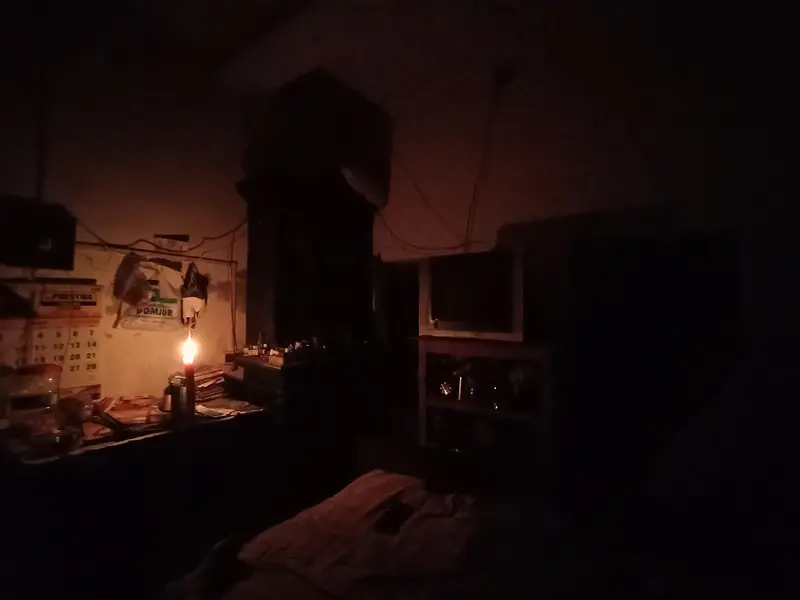
Winter storms bring power cuts, and a power cut on a working day is more than an inconvenience if your job lives on a desktop computer and a broadband router. A little preparation means you lose minutes rather than a morning’s work.
This article uses information from Ofgem, the energy regulator. It is general information; your network operator’s own website has the details for your area.
Who to call: 105
Ofgem says that if the power goes off unexpectedly you can call 105 free of charge to be put through to your local electricity network operator — the company that runs the cables in your area, which isn’t the same as the supplier you pay. You can also report a cut on your network operator’s website.
The Priority Services Register
Suppliers and network operators keep a Priority Services Register. Ofgem says you can ask to join if, for example, you have reached State Pension age, are pregnant or have young children, live with a disability or long-term medical condition (including needing medical equipment that uses electricity), struggle with speaking or reading English, or have had a recent change in circumstances such as bereavement. You ask your supplier or network operator directly.
Ofgem says network operators must offer people on the register extra help during power cuts — its example is battery packs so phones or medical equipment can still be charged — and that what each company offers differs. Ofgem also lists advance notice of planned power cuts where possible. You don’t get extra compensation for being on the register.
Compensation is usually automatic
Ofgem sets guaranteed standards for how quickly power should be restored. If a cut goes on longer than the standard — for example 12 hours in normal weather, longer in severe storms — you may be entitled to a payment. Ofgem says “You do not need to make a claim”: payments are usually made automatically by the network operator. If you think you’re owed one and it hasn’t arrived after a few months, contact the operator. The amounts are reviewed each year, so check Ofgem’s page for the current figures rather than relying on old ones.
Getting a home office ready
A few things are worth sorting before the next storm warning:
- Save and sync often. Work saved only on a desktop computer is lost if the power drops mid-document. Turn on automatic saving and cloud sync where your employer allows it.
- Keep a laptop and phone charged when bad weather is forecast, and know how to use your phone as a hotspot if the router goes down.
- Think about a UPS. An uninterruptible power supply gives a desktop and router a few minutes to shut down cleanly. Our guide Surge protectors and UPS units: the basics explains what they do and don’t do.
- Have a backup. See The 3-2-1 backup rule, explained, so a desktop that won’t restart cleanly doesn’t cost you your files.
- Know your employer’s plan. If you can’t work during a long cut, it helps to know in advance who to tell and whether you can work from somewhere else.
- Check updates after a cut. Devices sometimes need restarting or updating afterwards; the NCSC recommends keeping automatic updates switched on.
Insurance after a power cut
Power cuts can lead to claims — a freezer full of spoiled food, or equipment damaged by a surge. Whether either is covered depends entirely on your policy wording, and work equipment may be treated differently from your own. Our guide Home insurance and working from home explains what to check, and Unhappy with an insurance claim? explains how to complain if a claim is turned down.
Power-protection kit in our guide
Listed with the makers’ specifications; we haven’t tested them and don’t recommend one over another.
Surge protection & UPSRef. HW-014
Belkin Surge Protector with USB-C and USB-A Ports (6 Outlet)
6 sockets · 1 USB-C PD + 1 USB-A · 650 joules
Sizes: 6 sockets · 2m cord
Suits: A home-office desk with laptop, monitor and phone
A six-socket UK surge-protected extension with a USB-C PD port and a USB-A port for charging. An indicator light shows when the surge protection is still worki…
Details about Belkin Surge Protector with USB-C and USB-A Ports (6 Outlet) Search Amazon for this — Belkin Surge Protector with USB-C and USB-A Ports (6 Outlet) (opens Amazon.co.uk)
Surge protection & UPSRef. HW-018
APC Back-UPS 650VA BE650G2-UK
8 UK sockets (6 battery + 2 surge-only) · USB-A · standby
Sizes: 650VA / 400W
Suits: Riding out short power cuts on a router and PC
A small battery backup with standard UK sockets, so a router, PC or monitor keeps running through a brief power cut and you have time to save your work. Two ex…
Details about APC Back-UPS 650VA BE650G2-UK Search Amazon for this — APC Back-UPS 650VA BE650G2-UK (opens Amazon.co.uk)
Surge protection & UPSRef. HW-015
Belkin 2.4 Amp USB Charging 4-outlet Surge Protection Strip
4 sockets · 2 USB · 525 joules
Sizes: 4 sockets · 2m cord
Suits: A student desk or small home-office corner
A four-socket surge-protected strip with two USB charging ports, sized for a laptop, lamp, printer and router. It has sliding safety covers and a recessed powe…
Details about Belkin 2.4 Amp USB Charging 4-outlet Surge Protection Strip Search Amazon for this — Belkin 2.4 Amp USB Charging 4-outlet Surge Protection Strip (opens Amazon.co.uk)
As an Amazon Associate we earn from qualifying purchases. Most Amazon links open a search on Amazon.co.uk, where you can see the current price, sellers and delivery. We don’t show prices, ratings or Amazon’s photos, and we haven’t tested these products.