Surge protectors and UPS units: the basics
What a surge-protected extension lead does, what a UPS battery backup adds, how to read joules, VA and watts — and the extension-lead safety rules from Electrical Safety First and the fire service.
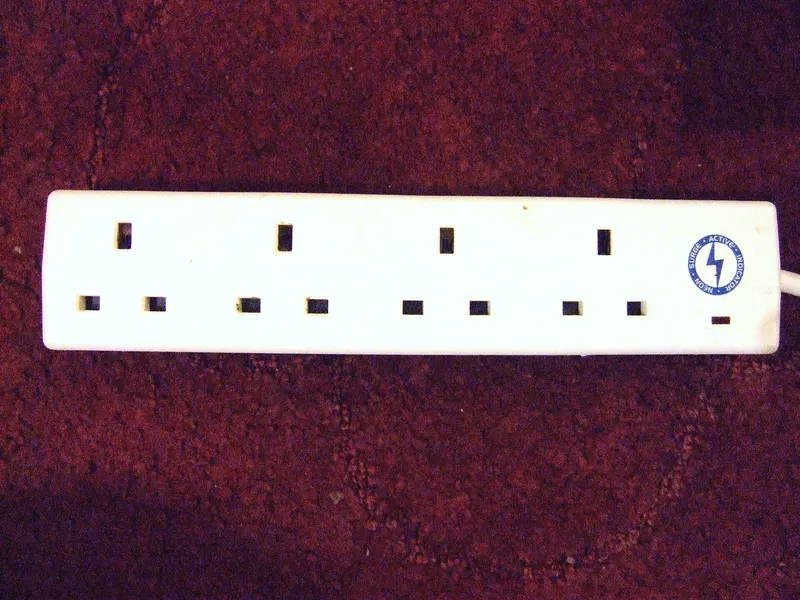
A home office runs on a handful of sockets: laptop, monitor, router, printer, phone charger. Two kinds of kit help protect it: surge-protected extension leads, and UPS (uninterruptible power supply) units with a battery inside.
What each one does
A surge-protected extension lead is an extension lead with extra components that absorb short voltage spikes. Electrical Safety First calls these components MOVs (metal oxide varistors). Most have a light to show the protection is working.
A UPS has a battery. When the mains supply fails, it keeps the kit plugged into its battery sockets running for a while — CyberPower defines this “runtime” as the time the UPS can provide battery power when the mains fails. That gives you time to save your work and shut down properly. Most UPS units include surge protection too, and some have extra sockets that are surge-protected but not battery-backed.
Reading a surge lead’s specification
- Joules. Makers quote the surge energy the protection is rated for: Belkin lists 650 joules for its 6-socket lead and 525 joules for its 4-socket strip; Masterplug’s spec sheets give 370 joules “maximum surge energy” for its surge extension leads.
- Other figures. Spec sheets may also list a maximum surge current and a clamping voltage (Masterplug gives 12,000 amps and 925 volts).
- The indicator light. Belkin says to replace the lead if its protection light is off, and recommends replacing surge protectors after three years of use or straight after a major over-voltage event.
- After a surge. Electrical Safety First says surge protectors in extension leads are generally self-resetting. If a lead stops working after a surge, the fuse protecting the MOV may have gone open circuit: try changing a replaceable fuse or the plug fuse, and if that doesn’t work, replace the lead.
- Guarantees. Some makers offer a connected-equipment warranty if you register the product — read the maker’s terms.
The extension-lead rules still apply
A surge-protected lead is still an extension lead. The safety advice is the same:
- Electrical Safety First says extension leads are rated at 13A (some older ones at 10A), to use only one extension device per socket, and never to plug one extension lead into another (“daisy chaining”) (home office safety).
- The Scottish Fire and Rescue Service says appliances on an extension lead should never use more than 13 amps in total, and to avoid using extension leads for long periods. Rather than a block adaptor, it suggests considering a multi-way bar extension lead with surge protection.
- Don’t ignore burn marks, buzzing or crackling sounds, or fuses blowing (Electrical Safety First).
Choosing a UPS
Types. CyberPower describes three designs: standby, line-interactive and online double-conversion. The APC Back-UPS BE650G2-UK is listed as a standby unit. The CyberPower BR1000ELCD-UK is line-interactive with AVR (automatic voltage regulation), which CyberPower says regulates low and high voltages without switching to the battery.
Size. CyberPower suggests adding up the watts of everything you’ll plug into the battery sockets, then choosing a UPS whose output watt capacity is 20–30% higher. UPS units are rated in both VA and watts; CyberPower explains that watts are the real power devices use, and gives the example of a 1000VA/700W unit having a power factor of 0.7. Check both figures.
Runtime. Runtime falls as you plug more in. CyberPower quotes 30 minutes at 60W and 18 minutes at 90W for the UT800EG-UK — a reminder that a home-office UPS is for riding out short cuts and shutting down safely, not for working through a long power cut.
Sockets. Check the socket type and which sockets are battery-backed. APC lists six battery-backed and two surge-only UK sockets on the BE650G2-UK; the CyberPower VP700EILCD has IEC C13 outlets, which need IEC-style power leads rather than UK three-pin plugs.
Insurance
Surge protection and a UPS don’t change what your insurance covers. If you want to know whether your policy covers electrical damage to equipment, check your policy wording or ask your insurer.
See all surge protection and UPS kit.
Sources
- Electrical Safety First: Your questions answered (surge protectors) (checked 6 November 2026)
- Electrical Safety First: Extension leads, cable reels and block adaptors (checked 6 November 2026)
- Electrical Safety First: Keeping your home office safe (checked 6 November 2026)
- Scottish Fire and Rescue Service: Electrical safety (checked 6 November 2026)
- CyberPower: UPS buying guide (checked 6 November 2026)
- CyberPower: Watts vs volt-amperes (VA) (checked 6 November 2026)
- CyberPower: UT800EG-UK (checked 6 November 2026)
- Belkin: 6-outlet surge protector SRB002af2M (checked 6 November 2026)
- Masterplug: SRG6xN spec sheet (checked 6 November 2026)
- APC (Schneider Electric): BE650G2-UK (checked 6 November 2026)
Checked 6 November 2026.