The 3-2-1 backup rule, explained
Three copies of your files, on two devices, with one kept away from home — plus one copy offline. How the NCSC describes it, and a simple way to set it up for work files and homework.
Laptops get dropped, stolen and spilled on, and files get deleted by mistake or scrambled by ransomware. Insurance might pay for a new laptop, but it can’t give you back a report, a set of accounts or a term’s coursework. Backups can.
The rule in one line
The National Cyber Security Centre (NCSC) sums up the 3-2-1 approach as keeping “at least 3 copies, on 2 devices, and 1 offsite” (Offline backups in an online world).
The NCSC adds an important point: the 3-2-1 rule doesn’t require any of those copies to be offline. It has seen ransomware reach not only the original files but also connected drives and cloud storage holding backups, so it recommends keeping at least one backup offline, where an incident can’t affect all your copies at once.
What the three copies can look like at home
- The original — on your laptop or desktop.
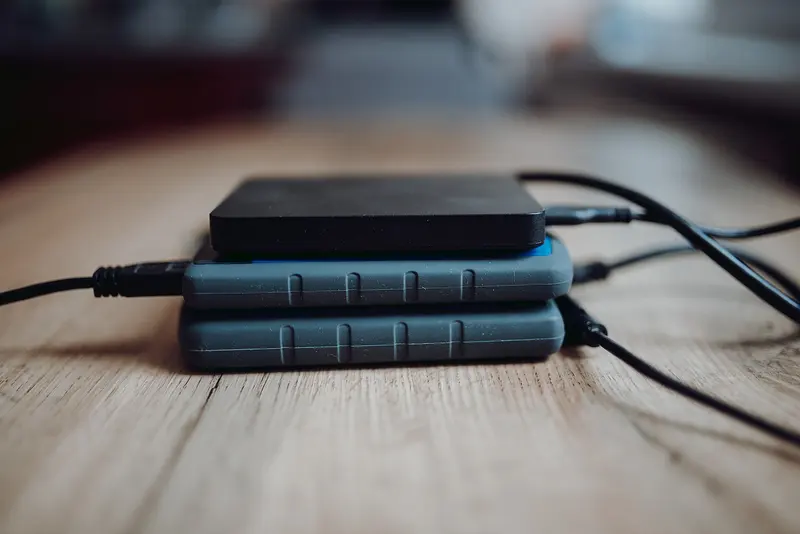
- A copy on a second device — an external hard drive, portable SSD or USB stick that you plug in to back up and then unplug.
- A copy somewhere else — a cloud backup, or a second drive kept away from the house.
If the files belong to your employer, follow your employer’s rules about where work files may be stored — that may rule out personal drives or personal cloud accounts.
Setting it up, step by step
1. Decide what to back up. The NCSC’s rule of thumb is to back up anything you value — anything whose loss would cause you a problem. Some backup tools copy just documents and photos; others copy a whole device, including apps (NCSC: always back up your most important data).
2. Switch on automatic cloud backup if it suits you. The NCSC says most cloud services can back up automatically, so you’re more likely to have a recent copy, but they need a reliable internet connection.
3. Make a regular copy to an external drive. The NCSC suggests removable media if your connection is slow, unreliable or metered, or your backups are very large — and setting a calendar reminder so you do it regularly. Some drives come with backup software: Western Digital says its My Passport includes Acronis True Image for Western Digital for scheduled backups, and Seagate lists backup tools with its One Touch portable drive. Your computer’s own backup tool works with any drive.
4. Unplug the drive when you’ve finished. The NCSC warns that malware such as ransomware can spread to removable media that is left attached. An unplugged drive is your offline copy.
5. Keep a copy away from home. A fire, flood or burglary can take the laptop and the backup drive together. A cloud copy or a second drive kept elsewhere covers that. The NCSC also says to store backups in a separate, safe place.
6. Protect the backups. Use a strong password and 2-step verification on cloud accounts, because anyone who gets into the account can reach your backups. Password-protect removable media in case it’s lost or stolen (NCSC). Some drives offer encryption: Seagate lists hardware encryption on the One Touch, and Integral says its Secure 360 USB stick comes with 256-bit AES encryption software.
7. Check that it works. The NCSC advises checking that backups contain your important data, and its blog says backups should be tested regularly. Try restoring a file now and then.
Choosing a drive
- Portable hard drives such as WD Elements Portable or Toshiba Canvio Basics offer large capacities — check each maker’s capacity list.
- Portable SSDs are faster; SanDisk quotes read speeds of up to 2000MB/s for its Extreme Portable SSD.
- Tougher drives suit a bag that gets thrown around: LaCie states drop resistance up to 1.2m for the Rugged Mini, and Samsung lists an IP65 rating and a 3-metre drop test for the T7 Shield.
See all backup drives and SSDs and USB sticks, or search Amazon for portable hard drives.
For pupils and students
Coursework is exactly the kind of thing that’s hard to replace. Our guide to keeping homework and coursework safe puts the same ideas into a simple routine.
When a drive reaches the end of its life
Old drives and laptops still hold your files. Before you pass one on or recycle it, wipe it properly. Green ITAD, our sister site, lists UK IT disposal and recycling companies. For step-by-step help with everyday tech jobs, see How To Guides, another of our sites.
As an Amazon Associate we earn from qualifying purchases.
Sources
- NCSC blog: Offline backups in an online world (13 August 2019) (checked 6 November 2026)
- NCSC: Always back up your most important data (checked 6 November 2026)
- Western Digital: WD My Passport (checked 6 November 2026)
- Seagate: One Touch portable (checked 6 November 2026)
- Integral: Secure 360 Encrypted USB (checked 6 November 2026)
- SanDisk: Extreme Portable SSD (checked 6 November 2026)
- Seagate: LaCie Rugged Mini (checked 6 November 2026)
Checked 6 November 2026.