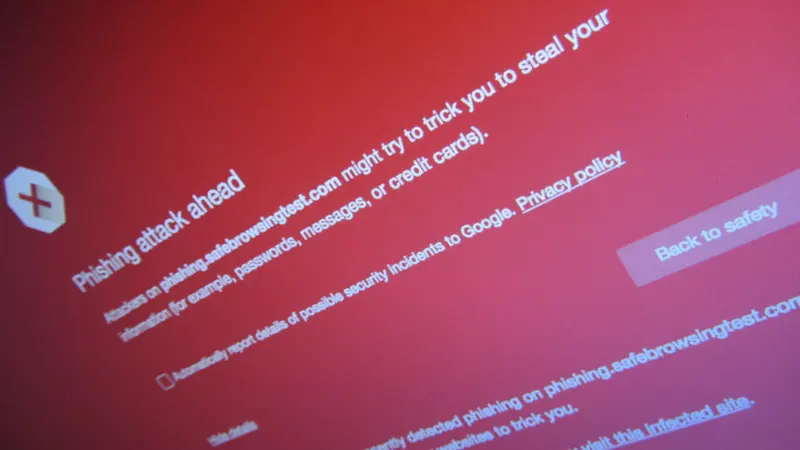
If you’re self-employed, a landlord, or simply someone who fills in a tax return, the run-up to 31 January is busy. It is busy for fraudsters too. A message that says you’re owed a tax refund, arriving while you’re thinking about your tax, can look very convincing on a phone screen.
This article sets out what HMRC itself has said. It is general information, not tax advice.
What HMRC reported in November 2026
On 17 November 2026 HMRC said 1,704 Self Assessment-related scams had been reported to it in the previous 12 months. Around 900 were linked to a single tax refund scam: in August 2026, emails with a malicious attachment led people to a fake GOV.UK page, told them they had an unclaimed tax repayment and asked them to “verify” their identity and payment details. HMRC warned those details could be used to get into bank accounts or commit further fraud.
Across all its services, HMRC said it received 95,340 reports of suspected scams in the 12 months to 31 October, 48,119 of them involving fraudsters pretending to be HMRC.
Three things HMRC says it will never do
According to HMRC, it will never:
- contact you by email, text or phone to say you’re due a refund, or ask you to claim one
- ask for personal or financial information by email or text
- leave threatening voicemails about legal action or arrest
HMRC’s reporting page adds that it doesn’t use social media to offer tax rebates or ask for personal or financial details, and that it “will never send a notification of a tax rebate” by text. Genuine HMRC emails about rebates come only from addresses ending in hmrc.gov.uk — but scammers can make an address look similar, so the safest habit is not to click at all.
A two-minute check before you act
- Don’t use the link or attachment. Go to GOV.UK yourself, or open the HMRC app, and sign in from there. If there really is something to deal with, it will be in your account.
- Check HMRC’s list of genuine contacts. HMRC publishes guidance on how to tell whether an email, text or call claiming to be from it is genuine.
- Watch for pressure. A deadline of “today”, a threat of arrest or a large sum “waiting” for you are the hooks scammers rely on.
- Claim refunds only through GOV.UK or the HMRC app, as HMRC advises.
Where to forward it
HMRC asks people to report suspicious contact:
- emails: forward to phishing@hmrc.gov.uk, then delete
- texts: forward to 60599 (your network rate applies)
- phone calls: use HMRC’s online “Report a suspicious HMRC phone call” service
- social media: email the account details to branddefence@hmrc.gov.uk
If you have already typed in bank details, contact your bank straight away.
Protect the accounts behind the return
Your HMRC sign-in details, your email and your banking app are worth more to a fraudster than any single message. The National Cyber Security Centre (NCSC) suggests strong passwords such as three random words and turning on 2-step verification wherever it is offered. Our guide Keeping homework and coursework safe and the NCSC’s advice on securing your devices cover the basics for the whole household.
A good backup also limits the damage if a malicious attachment does get opened: see The 3-2-1 backup rule, explained.
The real dates
For the 2025 to 2026 tax year, GOV.UK says online returns and payment are due by 11:59pm on 31 January 2027. If you want HMRC to collect what you owe through your tax code, where that’s possible, you need to file online by 30 December 2026. If you claim working-from-home costs, our guide to working from home tax relief explains the rules from April 2026.
Backup drives & SSDsRef. HW-001
WD My Passport
Micro-B · USB 3.2 Gen 1 (up to 5Gb/s)
Sizes: 1TB, 2TB, 4TB, 5TB, 6TB
Suits: Scheduled backups of a home or work laptop
A slim portable hard drive that comes with backup software, so a laptop can copy its files across on a schedule. The optional password lock and hardware encryp…
Details about WD My Passport Search Amazon for this — WD My Passport (opens Amazon.co.uk)
Backup drives & SSDsRef. HW-002
WD Elements Portable
Micro-B · USB 3.2 Gen 1 (5Gbps)
Sizes: 750GB, 1TB, 1.5TB, 2TB, 3TB, 4TB, 5TB, 6TB
Suits: A plain second copy of files at home
A basic plug-and-play portable hard drive for keeping a spare copy of documents, photos and coursework. Pair it with your computer's own backup tool for regula…
Details about WD Elements Portable Search Amazon for this — WD Elements Portable (opens Amazon.co.uk)
Backup drives & SSDsRef. HW-003
Seagate One Touch portable
USB-C · password protection + hardware encryption
Sizes: 2TB, 4TB
Suits: Private backups that travel between home and office
A compact USB-C portable hard drive with password protection, hardware encryption and Seagate's backup tools. It suits anyone who carries personal or work file…
Details about Seagate One Touch portable Search Amazon for this — Seagate One Touch portable (opens Amazon.co.uk)
As an Amazon Associate we earn from qualifying purchases. Most Amazon links open a search on Amazon.co.uk, where you can see the current price, sellers and delivery. We don’t show prices, ratings or Amazon’s photos, and we haven’t tested these products.
The drives above are listed so you can see the kind of kit the backup guide talks about; we haven’t tested them and don’t recommend one over another.