Christmas parties, busy trains and coffee-shop working all make December a good month for losing things. For anyone who works from home, a laptop or phone is not just a gadget: it holds work files, email and the apps that unlock everything else. What you do in the first hour matters, and what you set up beforehand matters even more.
This article draws on the National Cyber Security Centre (NCSC), nidirect and the Financial Ombudsman Service. It is general information; your employer’s IT rules and your own policy wording come first.
Set up now, before anything goes missing
Turn on find-and-wipe. The NCSC says most devices come with a feature that lets you track the location of a device and remotely wipe it if it’s lost or stolen. On an iPhone, make sure Find My is turned on; on Android, enable Find My Device. Check the equivalent for your laptop too — it doesn’t help if it was never switched on.
Lock the screen. The NCSC advises protecting devices with a password or PIN that must be entered when the device is switched on or restarted; a fingerprint or face can be used to unlock from standby. Our article on setting up new gadgets safely covers the rest of a new device’s first day.
Back up. A remote wipe protects your data from a thief, but it also deletes your only copy if you haven’t got another. See the 3-2-1 backup rule.
Write down the numbers. nidirect suggests noting your phone’s make, model and IMEI number — dial *#06# to see it — and keeping them somewhere safe and separate from the phone. Do the same with your laptop’s serial number.
Register your valuables. Immobilise is a free online property register where you can record serial numbers and other unique marks for phones, laptops, bikes and other valuables. It says police search the register more than 1.8 million times a year, and that marking an item as lost or stolen is immediately visible to police and can help stop it being sold through pawnbrokers or trade-in schemes.
If it happens: the first hour
- Try to locate, lock or wipe it from another device or your online account.
- If it’s a work device, tell your employer straight away. The NCSC’s advice to staff is blunt: “If your device is lost or stolen contact your IT helpdesk immediately to report this.” It adds that you won’t be in trouble, and that reporting quickly means more can be done to stop information being accessed.
- Change passwords you think someone might know. The NCSC says a password must be changed immediately if you suspect someone else knows it. Start with your email account, because it can be used to reset everything else.
- Phone stolen? Contact your network. nidirect says your provider can block both the handset and the SIM card so they can’t be used.
- Report theft to the police, and mark the item as stolen on Immobilise if you registered it. Keep any crime reference number you are given; you may need it for an insurance claim.
- Contact your bank if banking apps or cards were on the device or with it.
Keeping devices safer when you’re out
The NCSC reminds staff that a work device “is valuable and so it is attractive to thieves”, and says not to leave it unattended somewhere insecure, to keep it locked away or on your person, and to be aware of who can see your screen. It also says it is fine to write a password down only if it is stored securely — “never with the device itself”.
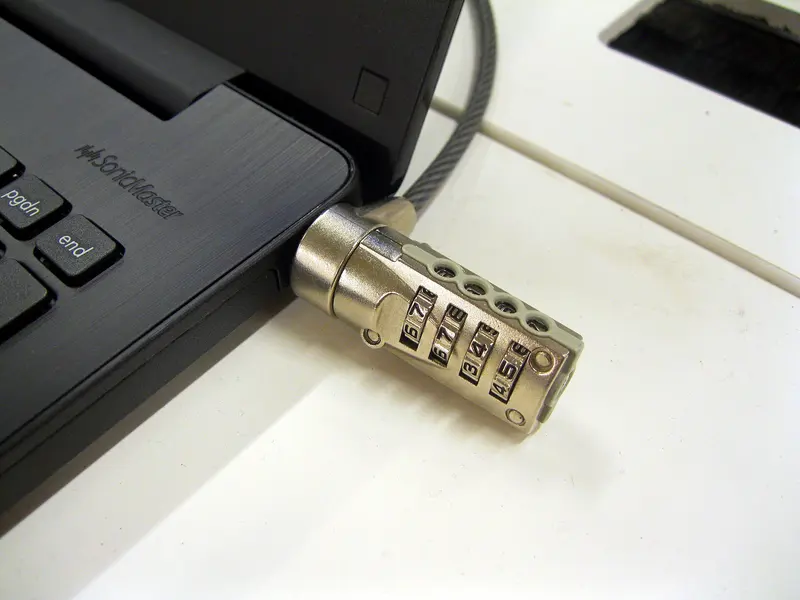
A laptop lock helps where you have to leave a laptop on a desk (see laptop locks explained for which lock fits which slot), and a padded sleeve keeps it out of sight in a bag:
Laptop locks & privacy screensRef. HW-031
Kensington Universal 3-in-1 Combination Laptop Lock
4-digit combination · fits standard, Nano or wedge slots
Sizes: 1.8 m (6 ft) cable
Suits: Households with a mix of laptop brands
A combination cable lock with swappable tips for standard, Nano and wedge-shaped slots, so there is no key to lose. Handy for a family or shared student house…
Details about Kensington Universal 3-in-1 Combination Laptop Lock Search Amazon for this — Kensington Universal 3-in-1 Combination Laptop Lock (opens Amazon.co.uk)
Laptop locks & privacy screensRef. HW-028
Kensington MicroSaver 2.0 Keyed Laptop Lock
Keyed cable lock · standard Kensington Security Slot
Sizes: 1.8 m (6 ft) cable
Suits: Laptops with a standard Kensington slot
A keyed steel cable lock that ties a laptop to a desk or other fixed object through the standard Kensington Security Slot. Suits a shared home office or a lapt…
Details about Kensington MicroSaver 2.0 Keyed Laptop Lock Search Amazon for this — Kensington MicroSaver 2.0 Keyed Laptop Lock (opens Amazon.co.uk)
As an Amazon Associate we earn from qualifying purchases. Most Amazon links open a search on Amazon.co.uk, where you can see the current price, sellers and delivery. We don’t show prices, ratings or Amazon’s photos, and we haven’t tested these products.
Laptop sleeves & casesRef. HW-022
Thule Subterra 2 13" PC sleeve
Ribbed EVA interior · front accessory pocket · 0.2 kg
Sizes: 13 inch PC (Subterra MacBook sleeves also listed in 13, 14 and 16 inch)
Suits: Commuting with a 13-inch laptop inside a bigger bag
A slim padded sleeve with a soft-lined ribbed interior and a front pocket for a charger or mouse. Thule says its water-resistant finish helps in light rain.
Details about Thule Subterra 2 13" PC sleeve Search Amazon for this — Thule Subterra 2 13" PC sleeve (opens Amazon.co.uk)
Laptop sleeves & casesRef. HW-023
Thule Gauntlet MacBook Pro sleeve 14"
Rigid exterior · enhanced corner and edge protection · 0.4 kg
Sizes: 14 inch MacBook Pro / 13 inch MacBook Air (16 inch version also listed)
Suits: MacBook owners who want a hard-shell case
A rigid sleeve with extra corner and edge protection and a padded interior, made for MacBooks and laptops of a similar size. It suits commuters whose bag gets…
Details about Thule Gauntlet MacBook Pro sleeve 14" Search Amazon for this — Thule Gauntlet MacBook Pro sleeve 14" (opens Amazon.co.uk)
As an Amazon Associate we earn from qualifying purchases. Most Amazon links open a search on Amazon.co.uk, where you can see the current price, sellers and delivery. We don’t show prices, ratings or Amazon’s photos, and we haven’t tested these products.
These are listed with the makers’ specifications; we haven’t tested them and don’t recommend one over another.
Insurance: check before you need it
Whether a lost or stolen device is covered depends entirely on the policy — home contents insurance, a gadget policy, or your employer’s cover for a work laptop. The Financial Ombudsman Service says gadget policies usually cover accidental loss, accidental damage and theft, but that it looks at the evidence and the policy’s terms and conditions when deciding complaints; its published cases include claims turned down over ownership and suspected fraud. Keeping receipts and proof of ownership helps.
If your employer supplied the laptop, ask them how it is covered. Our guide Home insurance and working from home explains what to check, and Unhappy with an insurance claim? explains how to complain.