Christmas brings a fresh wave of connected things into the house: a new laptop for work or college, a smart speaker, a doorbell camera, a games console. Each one is another device on the same home network as your work laptop and your family’s schoolwork, so it’s worth ten minutes to set it up properly.
This article follows the advice of the National Cyber Security Centre (NCSC). It is general information; follow the maker’s own instructions for your device.
Before you unwrap: the support date
The NCSC suggests you “Think of the support date as a ‘use by’ date for your device”. After it, the maker stops sending security updates. Since 29 April 2024, UK law (the Product Security and Telecommunications Infrastructure regime, or PSTI) has required makers of consumer smart devices to:
- not supply devices with default passwords that can easily be found online
- give a point of contact for reporting security problems
- state the minimum length of time the device will get important security updates
So the support period should now be stated by the maker. If a second-hand or old-stock device is already past it, the NCSC advises avoiding it where possible.
The NCSC’s set-up steps
For a smart device, the NCSC’s guidance comes down to five steps:
- Check what it needs. Most devices need an internet connection, a phone or tablet, and an app or online account.
- Change any default password. If a device does come with one, change it to something hard to guess — the NCSC suggests combining three random words.
- Turn on 2-step verification for the app or account, if it’s offered.
- Switch off remote access if you don’t need to use the device when you’re away from home Wi-Fi.
- Keep it updated. Switch on automatic updates if they’re available, and install manual updates when prompted.
For cameras in particular, the NCSC’s camera guidance adds that turning off remote internet viewing and disabling UPnP and port forwarding on your router (if you don’t need them) reduces the ways in — though some features may stop working. Our guide Home security cameras and the law covers the privacy side of filming beyond your boundary.
A new laptop for work or study
The same ideas apply to a laptop: create your own account with a strong password, turn on automatic updates and set up a backup before you start saving work on it. If the laptop belongs to your employer, follow their IT rules — they may manage updates for you. The NCSC’s guide to securing your devices is a good checklist.
Two more things are worth doing in the first week:
- Set up a backup so a lost, stolen or broken laptop doesn’t mean lost work. See The 3-2-1 backup rule, explained.
- Check your insurance. Home contents policies treat work equipment and portable items in different ways. Our guide Home insurance and working from home explains what to ask, and Valuing your contents covers adding new things to your sum insured.
Passing on the old device
Before you sell, give away or recycle an old phone, tablet or smart device, the NCSC says to do a factory reset, which “will return the device to its original settings” and should remove your personal data. Check the maker’s website for how to do it. Sign out of accounts and remove the device from any apps first.
Kit mentioned in our guides
The products below are listed so you can see the kinds of kit our guides talk about. We haven’t tested them, and listing isn’t a recommendation.
Backup drives & SSDsRef. HW-001
WD My Passport
Micro-B · USB 3.2 Gen 1 (up to 5Gb/s)
Sizes: 1TB, 2TB, 4TB, 5TB, 6TB
Suits: Scheduled backups of a home or work laptop
A slim portable hard drive that comes with backup software, so a laptop can copy its files across on a schedule. The optional password lock and hardware encryp…
Details about WD My Passport Search Amazon for this — WD My Passport (opens Amazon.co.uk)
Backup drives & SSDsRef. HW-002
WD Elements Portable
Micro-B · USB 3.2 Gen 1 (5Gbps)
Sizes: 750GB, 1TB, 1.5TB, 2TB, 3TB, 4TB, 5TB, 6TB
Suits: A plain second copy of files at home
A basic plug-and-play portable hard drive for keeping a spare copy of documents, photos and coursework. Pair it with your computer's own backup tool for regula…
Details about WD Elements Portable Search Amazon for this — WD Elements Portable (opens Amazon.co.uk)
Backup drives & SSDsRef. HW-003
Seagate One Touch portable
USB-C · password protection + hardware encryption
Sizes: 2TB, 4TB
Suits: Private backups that travel between home and office
A compact USB-C portable hard drive with password protection, hardware encryption and Seagate's backup tools. It suits anyone who carries personal or work file…
Details about Seagate One Touch portable Search Amazon for this — Seagate One Touch portable (opens Amazon.co.uk)
As an Amazon Associate we earn from qualifying purchases. Most Amazon links open a search on Amazon.co.uk, where you can see the current price, sellers and delivery. We don’t show prices, ratings or Amazon’s photos, and we haven’t tested these products.
Laptop locks & privacy screensRef. HW-031
Kensington Universal 3-in-1 Combination Laptop Lock
4-digit combination · fits standard, Nano or wedge slots
Sizes: 1.8 m (6 ft) cable
Suits: Households with a mix of laptop brands
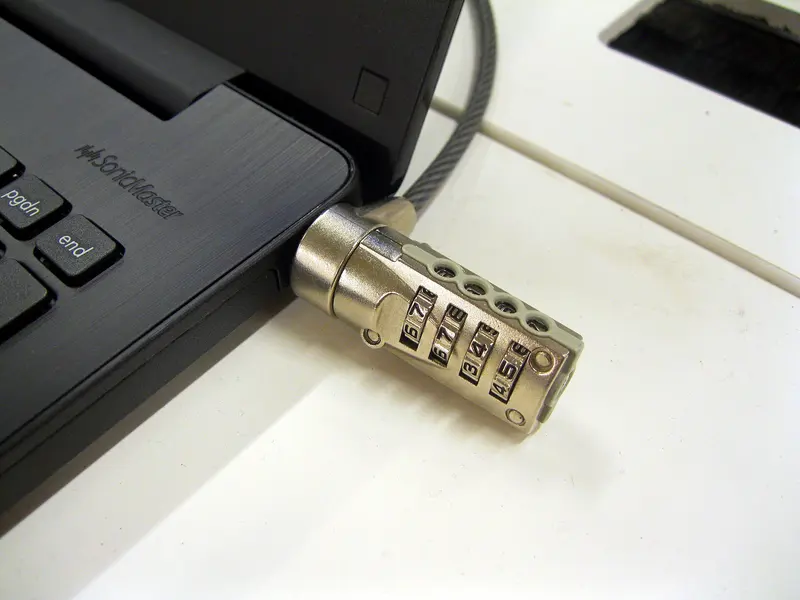
A combination cable lock with swappable tips for standard, Nano and wedge-shaped slots, so there is no key to lose. Handy for a family or shared student house…
Details about Kensington Universal 3-in-1 Combination Laptop Lock Search Amazon for this — Kensington Universal 3-in-1 Combination Laptop Lock (opens Amazon.co.uk)
Laptop locks & privacy screensRef. HW-028
Kensington MicroSaver 2.0 Keyed Laptop Lock
Keyed cable lock · standard Kensington Security Slot
Sizes: 1.8 m (6 ft) cable
Suits: Laptops with a standard Kensington slot
A keyed steel cable lock that ties a laptop to a desk or other fixed object through the standard Kensington Security Slot. Suits a shared home office or a lapt…
Details about Kensington MicroSaver 2.0 Keyed Laptop Lock Search Amazon for this — Kensington MicroSaver 2.0 Keyed Laptop Lock (opens Amazon.co.uk)
As an Amazon Associate we earn from qualifying purchases. Most Amazon links open a search on Amazon.co.uk, where you can see the current price, sellers and delivery. We don’t show prices, ratings or Amazon’s photos, and we haven’t tested these products.