Home security cameras and the law
Domestic CCTV and video doorbells: when data protection law applies to you, what you then have to do, and how to set a camera up safely — from GOV.UK’s domestic CCTV guidance and the NCSC.
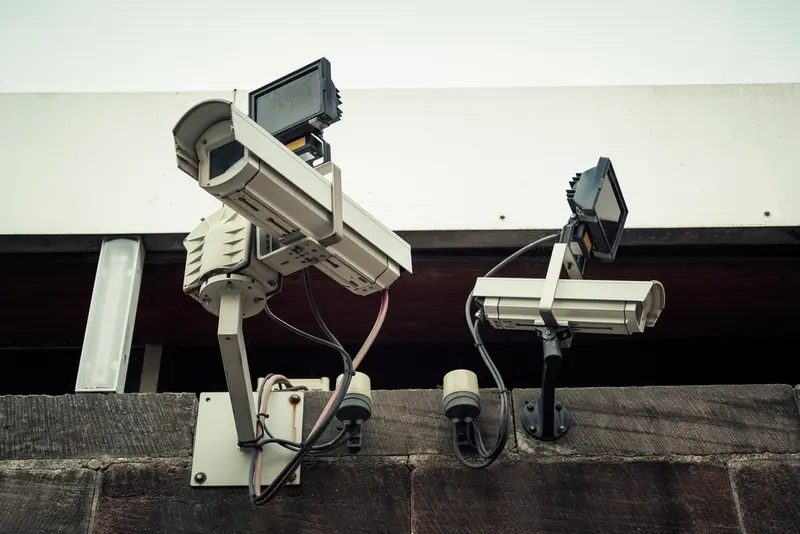
A camera can help you keep an eye on the house and the home office while you’re out. But a camera that films the street or the house next door can bring you inside data protection law. This guide is based on GOV.UK’s guidance on domestic CCTV, published by the Biometrics and Surveillance Camera Commissioner, and on the National Cyber Security Centre’s advice on smart cameras.
The key question: what can it see?
GOV.UK’s guidance says that if your system captures images of people outside the boundary of your property — for example your neighbours’ homes or gardens, shared spaces, or public areas such as the pavement — then the UK GDPR and the Data Protection Act 2018 apply to you (GOV.UK: domestic CCTV).
The Information Commissioner’s Office (ICO) regulates this. The guidance says the ICO can take regulatory action if people don’t comply, and that people who are affected may also take legal action.
Before you fit a camera
The guidance suggests asking yourself:
- Do I really need it? What problem am I trying to solve?
- Where can I put it to protect my property while keeping intrusion into my neighbours’ and other people’s privacy to a minimum?
- Does it need to record audio?
- Can I use a system with privacy features, such as privacy filters?
- Have I talked to my neighbours about it, and thought about how they’ll feel?
Many cameras now have privacy features. Their makers describe them like this:
- Yale says the privacy zones on its Smart Outdoor Camera mark chosen areas with a black bar, “for example to exclude public areas from recording”.
- TP-Link says the Privacy Zone setting on the Tapo C216 blocks chosen areas from being recorded.
- eufy says that with Privacy Mode on, the Indoor Cam S350 turns to face a wall or a set direction, then switches off and stops recording.
- EZVIZ says the lens of the C6N 4K rolls back into the housing when its physical privacy shutter is on.
If the law applies to you
If your camera captures people beyond your boundary, GOV.UK’s guidance says you should:
- Put up a notice saying that recording is taking place, and tell your neighbours about the system.
- Keep recordings secure, and keep access to them to a minimum.
- Not keep images for longer than you need to protect your property, and delete them regularly.
- Use recordings only to protect your property — the guidance says sharing them on social media is not appropriate.
- Be able to respond to people who ask about recordings of them, including subject access requests.
- Make sure the date and time on the system are correct.
- Check regularly that the system still works, still covers the right area, and is still needed.
The ICO also publishes its own guidance for people using domestic CCTV, and the GOV.UK guidance gives the ICO helpline as 0303 123 1113.
Cameras inside the home
The GOV.UK guidance is written about cameras that capture people outside your property. Even for a camera that only sees inside your home, it’s worth thinking about who it will record — family members, visitors, anyone who works in the house — and telling them it’s there. A privacy mode or shutter lets you switch it off when you’re home.
Keep the camera itself secure
The NCSC warns that live feeds or images from smart cameras can be accessed by people who shouldn’t see them, mainly because of default passwords and remote-access features (NCSC: smart security cameras). It advises:
- if your camera has a default password, change it to a secure one — for example three random words;
- keep the camera’s software up to date, and switch on automatic updates if offered;
- if you don’t need to view footage remotely over the internet, consider turning that feature off (it may stop motion alerts);
- consider disabling UPnP and port forwarding on your router.
Where recordings are stored
Cameras store footage in different places: on a memory card, on built-in storage, on a home base, or in the maker’s cloud service (often with a subscription). Yale, for example, says its smart cameras keep 2–4 days of recordings on built-in storage without a subscription, with 30-day cloud storage as a paid option. Whatever you choose, keep access to recordings to a minimum and delete what you don’t need, as the GOV.UK guidance says.
See all home security cameras.
Sources
- GOV.UK (Biometrics and Surveillance Camera Commissioner): Domestic CCTV — using CCTV systems on your property (checked 6 November 2026)
- NCSC: Smart security cameras — using them safely in your home (checked 6 November 2026)
- Yale: Smart Outdoor Camera (checked 6 November 2026)
- Yale: Smart Indoor Camera (checked 6 November 2026)
- TP-Link: Tapo C216 (checked 6 November 2026)
- eufy (Anker UK): Indoor Cam S350 (checked 6 November 2026)
- EZVIZ: C6N G1 4K (checked 6 November 2026)
Checked 6 November 2026.