Setting up a home workstation: what HSE says
Screen at eye level, keyboard just below elbow height, and a separate keyboard or screen for long spells on a laptop. HSE’s advice on posture, breaks and eye tests for people who work at a computer at home — and what employers must do.
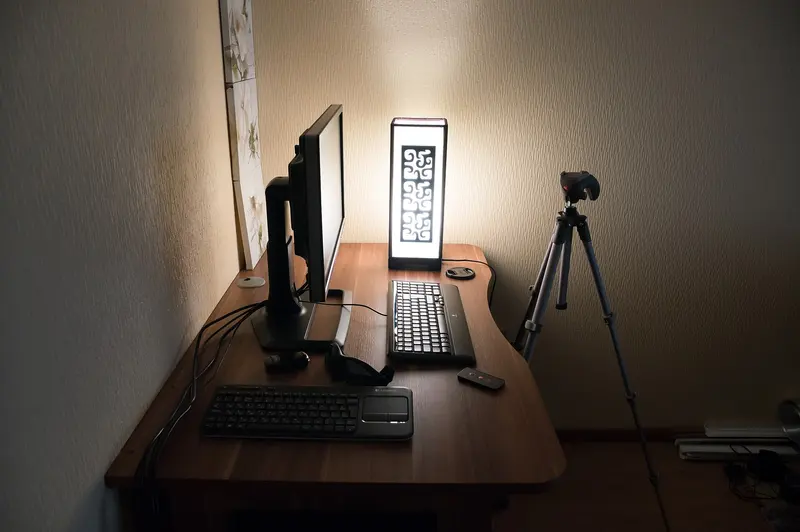
A laptop on the kitchen table or the sofa is fine for checking an email. For a full working day — or an evening of coursework — it’s a recipe for a stiff neck and sore shoulders. The Health and Safety Executive (HSE) calls computers, laptops and screens “display screen equipment” (DSE), and its guidance on setting them up applies just as much at home as in an office. This guide sums up what HSE says.
Does the law cover you?
HSE says the DSE regulations can apply to people who work at home on a permanent or long-term basis, and to hybrid workers who split their time between home and the workplace. A DSE “user” is someone who uses a screen daily for continuous periods of an hour or more. The rules don’t generally apply to people who work at home only occasionally or for short periods (HSE: DSE for home workers).
Employers have the same health and safety responsibilities for home workers as for anyone else (HSE: protect home workers). If you’re self-employed, HSE has a page on whether health and safety law applies to you. And for pupils and students, the same set-up advice is a sensible guide even though the workplace rules aren’t aimed at you.
A good basic set-up
HSE’s advice on good posture (working with DSE: good posture) comes down to a short checklist:
- the top of the screen level with your eyes, about an arm’s length away;
- the screen and keyboard straight in front of you, so you don’t twist your back;
- the keyboard just below elbow height, and the mouse in line with your elbow;
- shoulders relaxed — sit high enough that you don’t need to shrug;
- a seat that supports the front and back of your thighs equally, with a gap of 2–3cm between the front of the seat and the back of your knees (a cushion can raise you up);
- good support for your lower back, from the chair or a cushion.
HSE says home workers may not need office-type furniture to achieve a comfortable, sustainable posture — but also that a worker’s own furniture or equipment may not be suitable or sufficient.
Working on a laptop
A laptop’s screen and keyboard are joined, so you can’t have both in the right place at once. For prolonged use, HSE suggests a separate keyboard and mouse, so that the laptop screen can be raised on a laptop riser or something similar, or a separate display screen.
Breaks and changes of activity
HSE says the law requires employers to plan work so that there are breaks or changes of activity. There is no legal rule on how long or how often breaks should be, but HSE says short, frequent breaks are better than longer, less frequent ones, and that ideally you should be able to choose when to take them. A break should let you stand up and move about, or at least stretch and change position (HSE: work routine and breaks).
Eye tests
If you are a DSE user, HSE says your employer must arrange an eye and eyesight test if you ask for one, and must pay for it. Employers only have to pay for glasses if the test shows you need special glasses for DSE work; if your normal glasses are suitable, they don’t have to pay (HSE: eye tests).
What your employer should do
HSE’s guidance for employers says:
- each home worker who is a DSE user needs an assessment — workers can do a self-assessment if they’ve had suitable training;
- if you work at home and in the office, the assessment should cover both;
- any equipment the employer provides must be safe and suitable;
- if the assessment shows you need equipment, you cannot be charged for it;
- arrangements should be reviewed after significant changes, or when workers report aches, pains or discomfort;
- some people may need advice from a trained DSE assessor or an occupational health professional.
If something isn’t comfortable, tell your employer: HSE’s guidance expects the arrangements to be reviewed.
Your part
HSE reminds home workers that, like any worker, you must take care of your own health and safety and cooperate with your employer (HSE: home workers). Its practical points for any room you work in are to:
- arrange furniture and equipment so there are no trailing leads or cables;
- check that plugs, leads and cables are in good condition;
- keep the work area tidy and clear of things you could slip or trip on;
- make sure there’s enough light to avoid eyestrain.
HSE also suggests keeping a routine, staying in touch with your manager and colleagues, taking regular breaks and using your annual leave.
Power, cables and kit
A desk with a laptop, a monitor, a lamp and chargers soon runs out of sockets. Read home office fire safety before reaching for a block adaptor, and see surge protectors and UPS units for how surge-protected leads differ. If other people in the house can see confidential work on your screen, look at laptop privacy screens.
Sources
- HSE: Working safely with DSE — good posture (checked 19 November 2026)
- HSE: DSE for home workers (checked 19 November 2026)
- HSE: Work routine and breaks (DSE) (checked 19 November 2026)
- HSE: Eye and eyesight tests (DSE) (checked 19 November 2026)
- HSE: Using computers and laptops safely at home (employers) (checked 19 November 2026)
- HSE: Protect home workers (employers) (checked 19 November 2026)
- HSE: Home workers — managing your health and safety (checked 19 November 2026)
Checked 19 November 2026.